
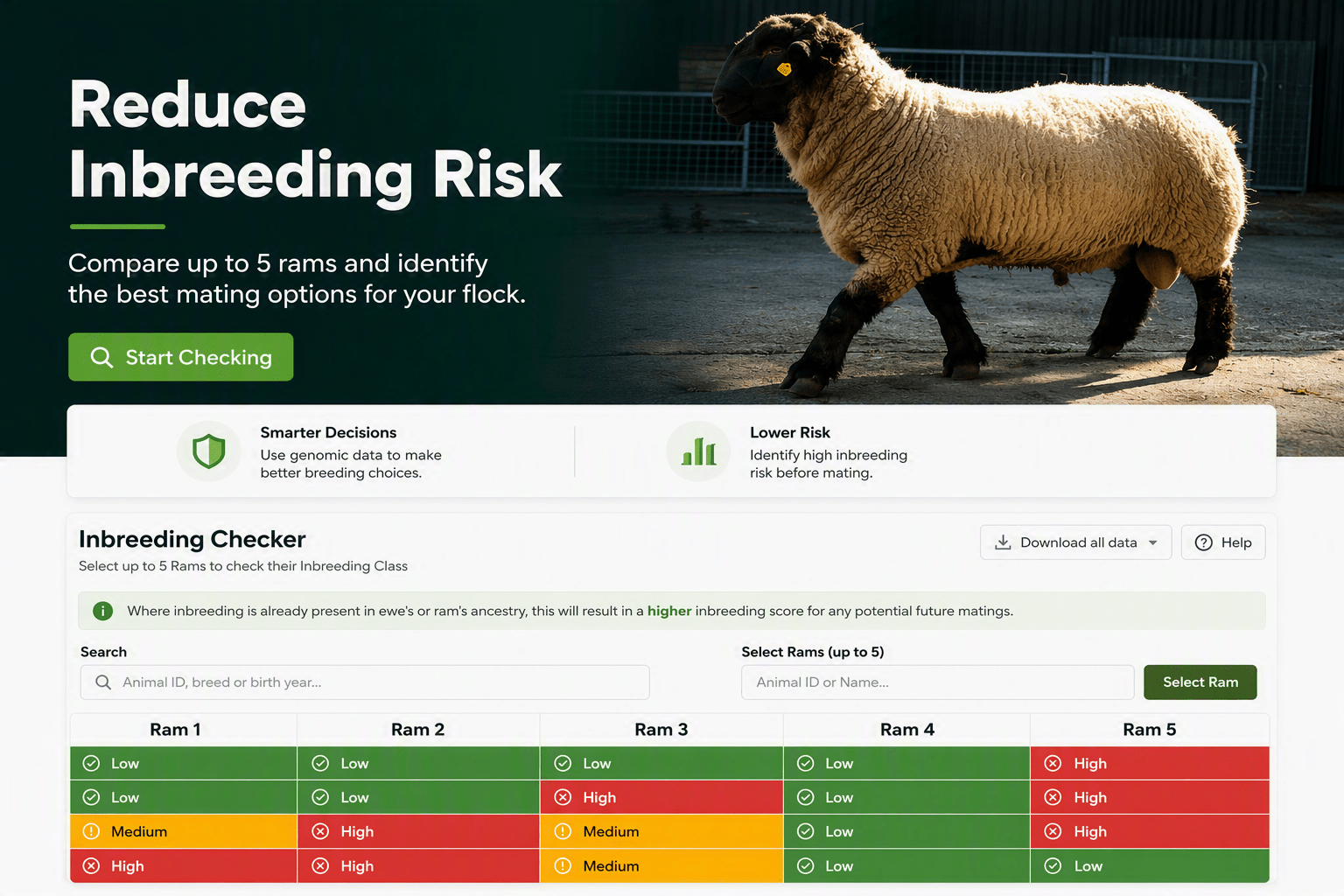
Inbreeding occurs when closely related animals are mated.
The inbreeding checker will allow you to control the levels of inbreeding within your flock.
How to Select a Ram?
You can compare up to 5 rams at a time against all the breeding females in your flock, and pick any ram within the database. This is extremely useful, especially before sourcing any potential sire or setting the mating groups to check the risk of inbreeding.
To pick a ram:
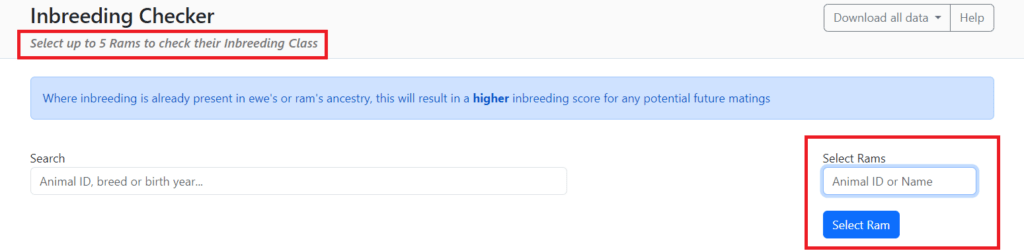
- Enter the Animal ID (NSIS or Pedigree ID) or the ram’s name.
- The animal will appear in a dropdown menu below.
- Click on the pop-down to confirm that this is the correct animal, and then click ‘select ram’.
- Follow this process until you have selected all of the relevant rams.
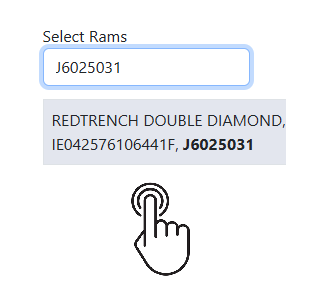
Step 1. Search the ram and click on it on the drop down menu.
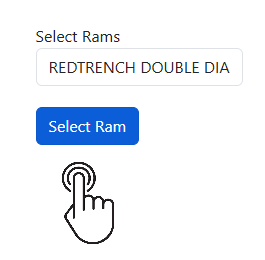
Step 2. Click the “Select Ram” blue button to run the Inbreeding checker. Wait for some seconds for the system to run and display the result.
How to search for a particular group of females
The system will display the inbreeding level across the entire group of females in your flock.
By using the search box you can filter your flock, this will allow you to view the inbreeding coefficients for a specific group of females. The search criteria can be changed for different females in your flock as you go along if needed. You can search by Animal ID, Name, Breed code or Birth Year.
Example if you have more than one breed in your flock you can search by the breed code (in this case TX is short for Texel), followed by the year of birth e.g. 2023.
The results of the inbreeding check will be displayed as the table below:
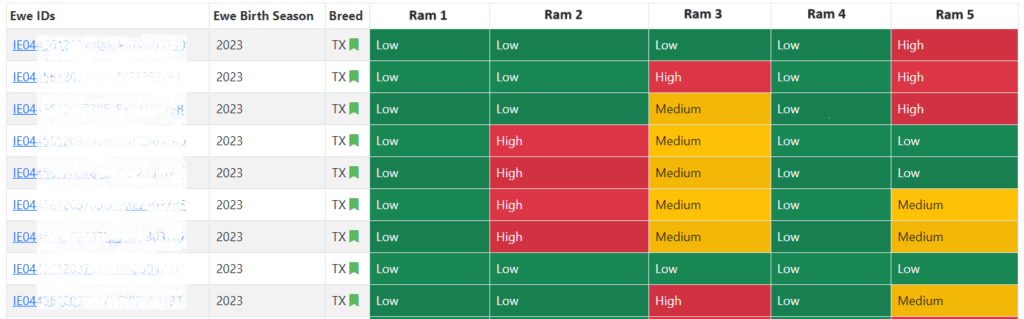
What do the colours mean?
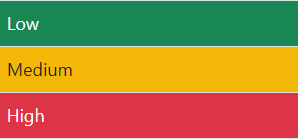
Green – Low risk (0-3%); Meaning it is safe to mate these animals.
Yellow – Medium risk (3-6%); While it is safe to mate a proportion of these animals, care should be taken as inbreeding levels may rise overtime.
Red – High risk (>6%); Mating these animals should be avoided if at all possible.
How to Save/Download your results
To save these results simply click on the “Download all data option” (top right).
To start again, simply refresh the page.
Ram Genomic Inbreeding Checker
The Ram Genomic Inbreeding Checker allows you to compare two genotyped rams of the same breed to see how closely related they are.
Where can this facility be found?
Farmers can find this option on www.ramsearch.ie and by clicking ‘Genomic Inbreeding’.
The facility works similarly to the current Inbreeding Checker that LambPlus breeders use, where the result appears as Low, Medium or High.
How can I check two rams?
- Enter the first ram in the left search bar: i.e., Type the ID or name TURRET BORN TO BE WILD, IE045778401242D, J9323020
- Select the ram from the list.
- Enter the second ram in the right search bar: i.e., Type the ID or name IE042576106144F, REDTRENCH , J6024014
- Select the ram from the list.
- Click “Check Inbreeding“.
- Find the result below.
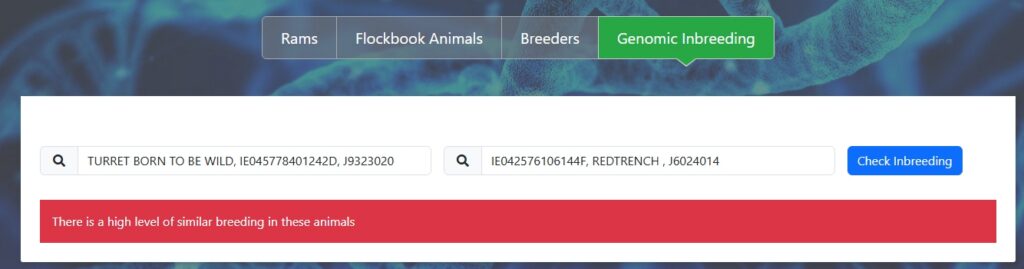
Important: This comparison refers to the level of relation between those two animals, and not to the inbreeding coefficient of an animal itself.
What are the benefits of using the Ram Genomic Inbreeding Checker?
Any farmer can check the level of inbreeding of the rams being used, preventing using animals with close ancestry or bloodlines, to avoid mating related females.
This facility will be hugely beneficial for Hill and Commercial farmers who may not have access to the same level of ancestry as pedigree breeders currently.
It will allow them to check the relationship between current stock rams that are genotyped against potential new stock rams who are also genotyped, and to make more informed breeding decisions to protect against inbreeding in their flocks.