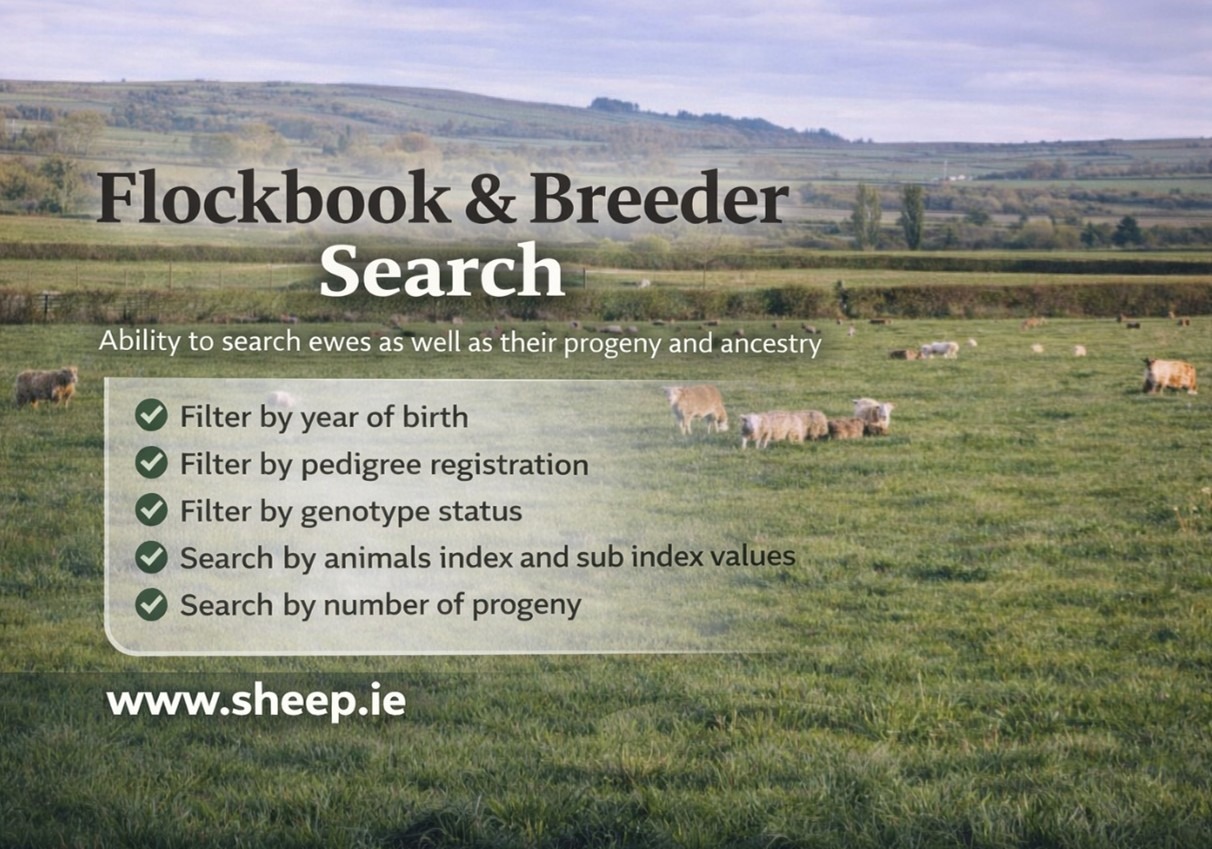
Breeders and commercial farmers can access online to the Flockbooks of all breed societies who run their flockbooks through the Sheep Ireland database. This can be done through the Ram search & Flockbook feature.
These societies are as follows: Belclare, Charollais, Galway, Irish Suffolk, SOI Suffolk, Mayo Connemara, Rouge de l’Ouest, Texel, Vendeen, Zwartbles, Blue Texel, Cladoir, Donegal Cheviot, Dutch Spotted, Hampshire Down, Ryeland, and Valais Blacknose.
One of the main benefits of the Flockbook search is it affords breeders the opportunity to search for pedigree registered females and look at their €uroStar evaluations. This function may be particularly useful when breeders are purchasing females privately or at inlamb sales.
How to access?
Go to www.sheep.ie and click on the Flockbook search tab:

Once accessing the online search, you will find these options:
- Rams
- Flockbook animals
- Breeders
- Genomic Inbreeding
By selecting Flockbook animals, a drop-down menu will be displayed. This allows to select which breed you are specifically looking for:
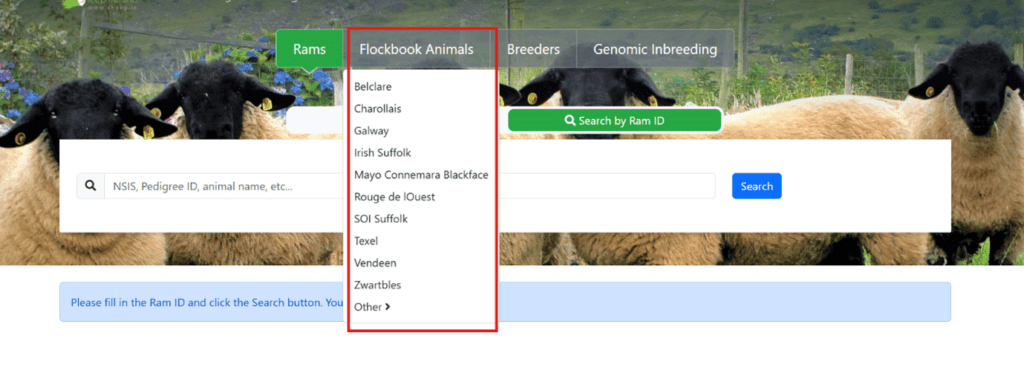
By selecting a breed from the drop-down menu as shown with the red outline, all Flockbook animals will be displayed for that breed.
To shorten the list, you can filter animals by:
- Sex (highlighted in yellow),
- Year of birth (highlighted in blue),
- SIS approved rams (highlighted in pink).
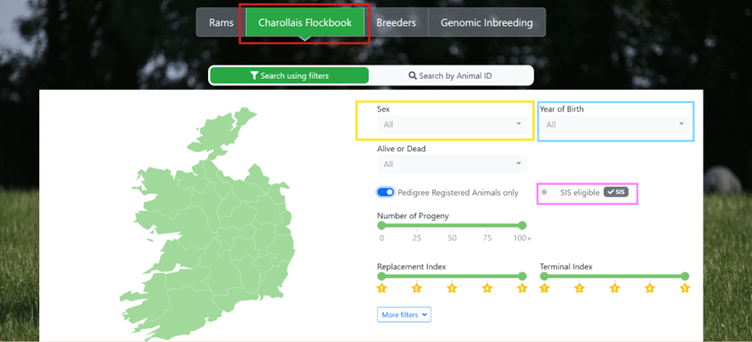
Search using the Flockbook Animals tab, to filter by:
Breed, Year of birth, Pedigree, Alive or Dead, SIS eligible rams, Number of progeny, Replacement and Terminal indexes star ratings
By hovering and clicking on each County, you will be able to filter by region:
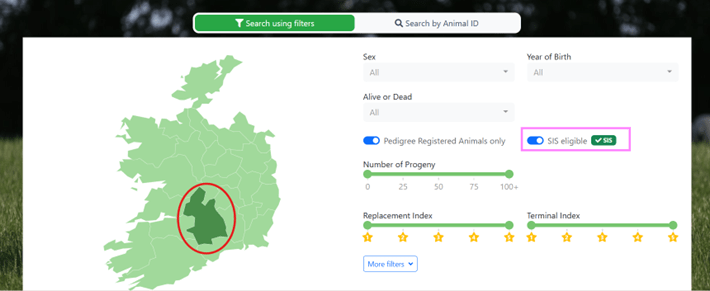
If you want to search for Flockbook animals in your region, by hovering over the map you can select a county of choice. The red outline shows the county which turns dark green once selected. The pink outline shows the SIS filter turned on, which will be displaying the SIS rams available in your region.
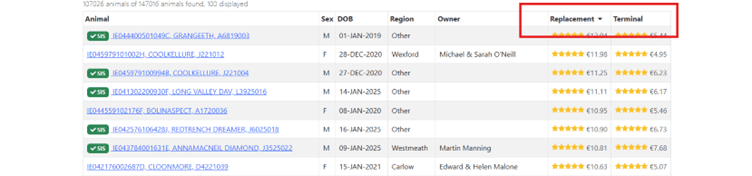
By clicking the Replacement or Terminal columns, it will order animals from the highest to the lowest index selected. By clicking on the column again, it will order them from the lowest to the highest:
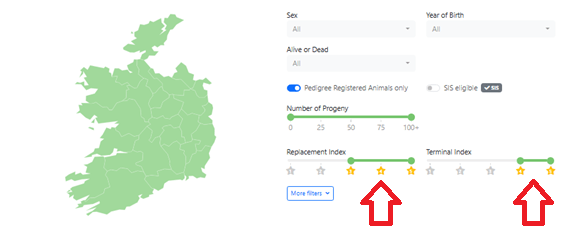
You can also filter on each Index bar by moving the filter manually (see image below), and it will only display de animals with the star rating selected:
By clicking “More filters”, you can filter by sub-indexes:
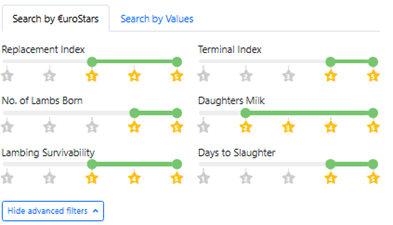
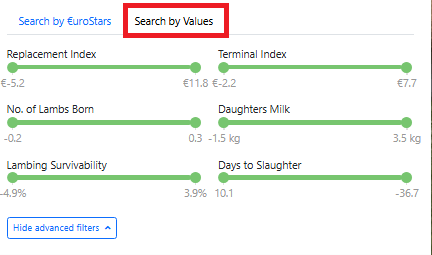
And by clicking the “Search by Values” tab you can filter by €uro values:
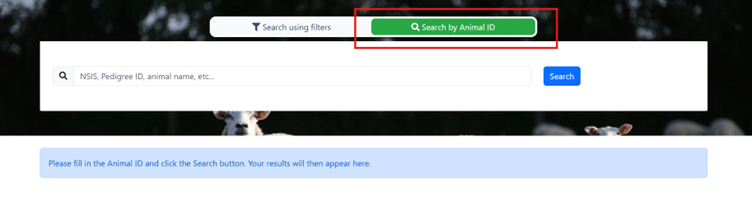
There is also the option to search a specific animal by entering: NSIS, Pedigree ID, animal name, etc.: