
The Data Quality Index (DQI) rates LambPlus flocks based on the quality and quantity of the flock data recorded over the previous year.
This index can be used to help LambPlus breeders identify the areas where their data recording needs the most attention in the year ahead.
Each LambPlus member can access their DQI through their Sheep Ireland online services and find the score on their homepage.
Watch this video and find out why and how to improve it:
The target DQI score is at least 80% or higher
The DQI reflects three aspects of your data recording:
- Completeness — Have you recorded all available information on the Sheep Ireland database?
- Timeliness — Have you recorded this data in a prompt manner?
- Quality — Have you accurately recorded this data?
Where can I find my DQI score?
Once you access your Farmer Homepage, your DQI score will be visible on the top left hand of your screen.
Sheep Ireland does not publish €uroStar indexes for breeders when their DQI is lower than 40%.
A very high DQI figure is also considered as a requirement for our annual Elite Ram sale.
Your flock DQI score is now front and center when you log into your Farmer Homepage. The DQI appears as a half moon graph, with tabs available to switch between your scores where flocks have both a pedigree and commercial DQI.
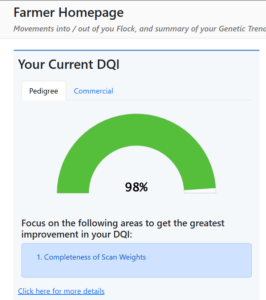
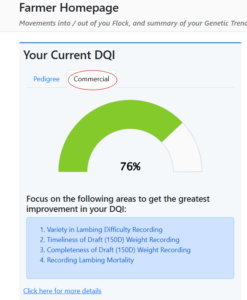
For more information on your DQI score or to “Recalculate” your DQI after inputting flock recordings click on the link for more details!
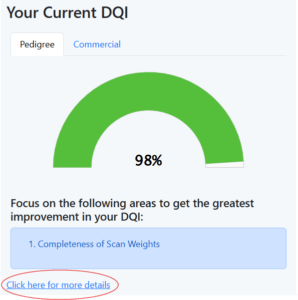
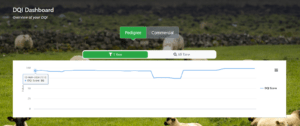
This link will bring you to your flocks DQI Dashboard. This is again split into pedigree and commercial tabs.
The “1 year” graph outlines your flocks score within the current DQI year. The DQI is scored on a 365 day rolling basis, so its important to remember that some of the data recorded last year is still being included. The “All time” graph shows your historic DQI scores from when you first joined LambPlus.
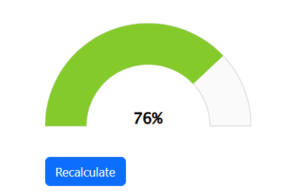
Below this we have a half moon chart displaying your DQI score, as well as the “Recalculate” button. The DQI will be periodically updated, however, it can be updated manually at any time by simply clicking on the Recalculate button below your DQI score. This will then give you your most current DQI.
The upgraded suggested Improvements now feature web posts which will help you with your recordings.
Each web post is tailored to that specific DQI recommendation and provides you with helpful recording tutorials and explanations as to why each recording is important for your €urostar evaluations.
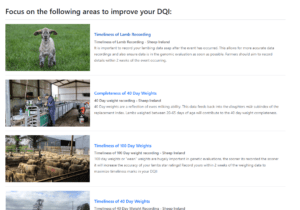
To view the post simply click on the Suggestion title in blue, or click on the photo next to it.
Why has my DQI not changed after I entered more information?
The DQI will be periodically updated, however, it can be updated manually at any time by simply clicking on the Recalculate button below your DQI score. This will then give you your most current DQI.