
Clean up your inventory and remove all animals that are no longer in the flock. This will also help to increase your Data Quality Index (DQI).
LambPlus breeders flock inventories on the Sheep Ireland database should reflect what is on the farm on any given day.
Ewes that are longer on the farm but still in your flock inventory could be showing up as ewes missing event recordings.
Ensure your flock inventory is up to date to minimise “inactive ewes” and maximise completeness points!
WATCH the video and see steps below on how to do it through your farmer homepage on the website:
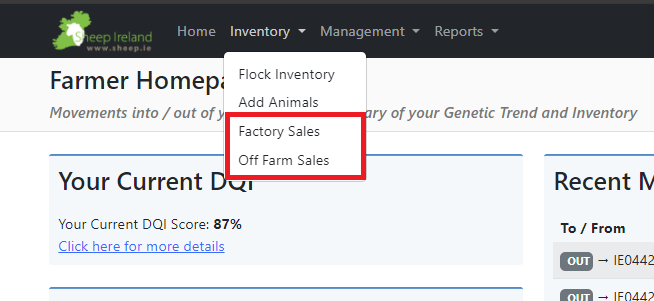
By clicking on the Inventory tab, these options are displayed:
- Factory Sales
- Off Farm Sales
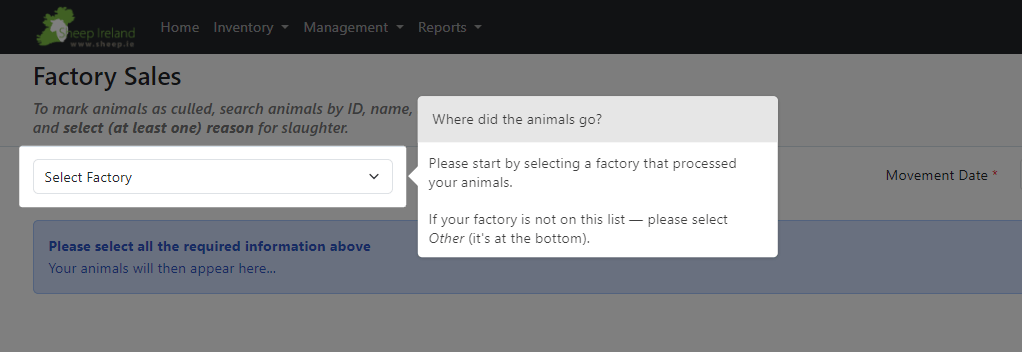
Factory Sales:
Irish Country Meats, Kepak, and Dawn, are linked to our database and will provide the information automatically, so you won’t need to remove them or record the carcass data.
For any other Factory:
- Select the Factory that processed your animals. If your factory is not on this list, select “Other“.
- Then select the movement date.
- Please provide carcass data for each animal.
- Select your reasons for culling the animals.
- Select animals to proceed.
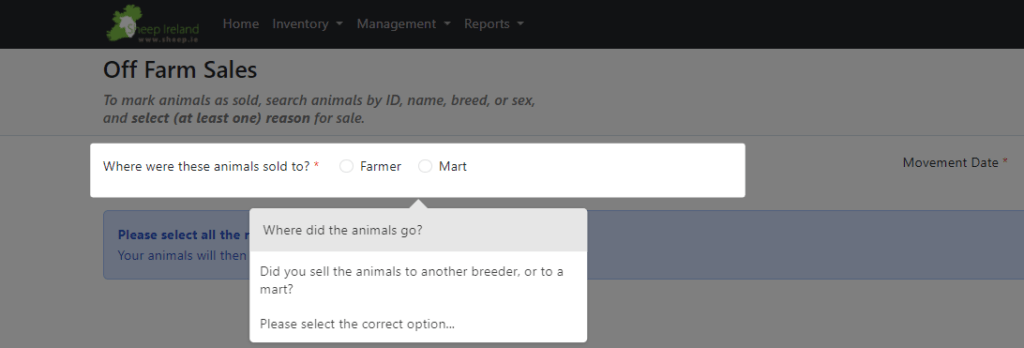
Off Farm Sales:
This screen basically gives the option to record animals sold to:
- Another breeder (gives the option to enter the designator of the breeder to whom the animals were sold). Leave it blank if unknown.
- Or sold at the mart (a mart must be selected to move the animal). If the particular mart is not on the list or animals have been sent to the butcher, select ‘other’.
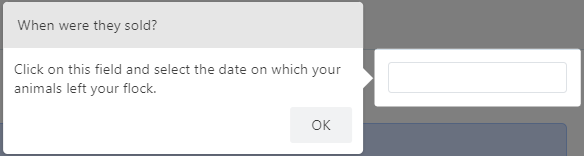
- Then select the movement date.
- Select your reasons for selling the animals.
- Select animals to proceed.
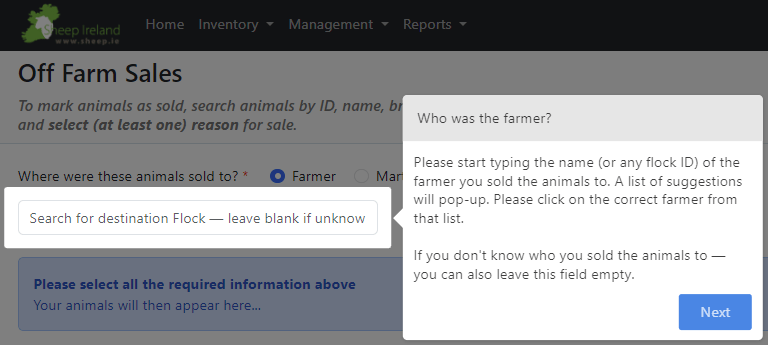
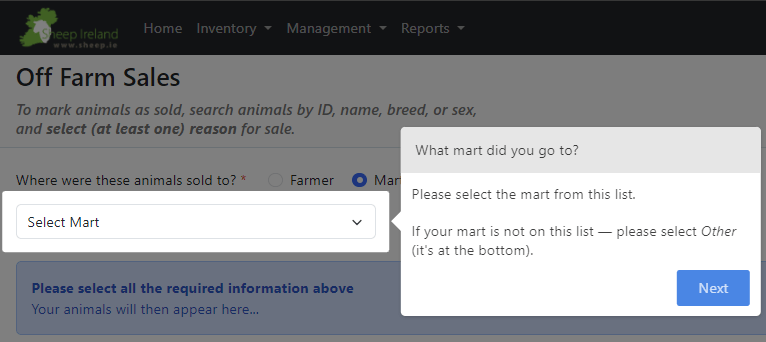
There is a choice to select only lambs, ewes, and rams. Also the animal’s ID can be typed into the search bar.
For any of the cases, a date needs to be selected for removing the animals out of the Inventory.
It is important to keep flock inventories up to date and this screen provides a fast and efficient way for breeders to record their Factory or Off Farm sales.
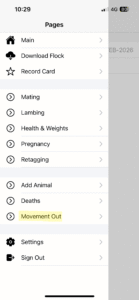
To remove animals no longer in the flock on the app:
Click on the menu button and select ‘Movement Out’ from the list
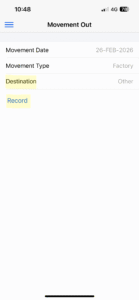
Select the movement date and movement type (Irish Country Meats, Kepak, and Dawn, are linked to our database and will provide the information automatically, so you won’t need to remove them or record the carcass data.)
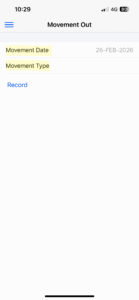
Select the destination and click record, if the mart or factory is not on the list select ‘other.’ If you sold to another breeder and do not know their designator, leave the destination blank.
A list of your animals will appear, select the animals which you wish to move and select a reason for the movement.
The movement will be recorded. Click back into the animal and select ‘undo movement’ if you make a mistake
This animal will be removed from your flock but the movement can be viewed on the website using the movement report: Features of the Movement Report – Sheep Ireland